Curved cover – 3D CAD Exercise 016
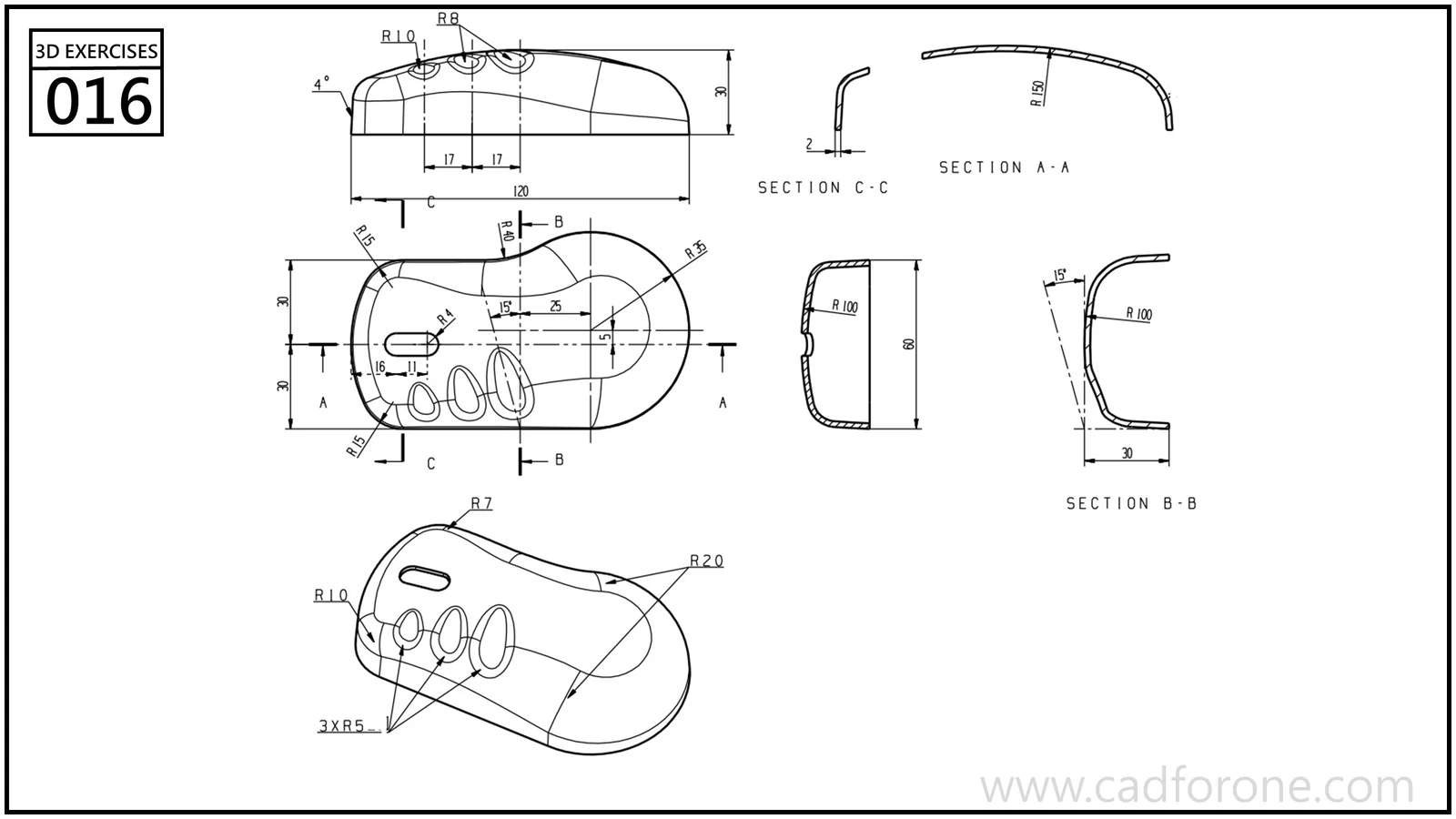
A curved cover with several openings, shown through multiple cross-sections.
Drawing reading checks
- Use the sections to establish the shell curvature and edge returns.
- Project the openings onto the curved body without treating the plan outline as a flat plate.
Check your result
- Check each opening against the drawing: its size, center position, and direction must agree across the available views.
Practice overview
- Drawing units
- mm