Three-hole mounting plate – 3D CAD Exercise 002
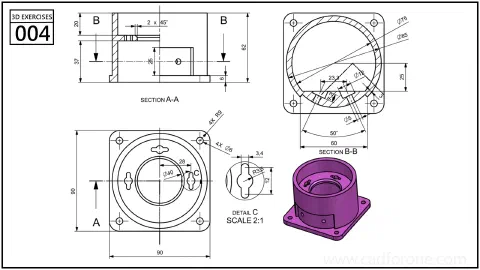
A three-hole mounting plate supports a central bore and an angled side passage, with two sections and an enlarged detail.
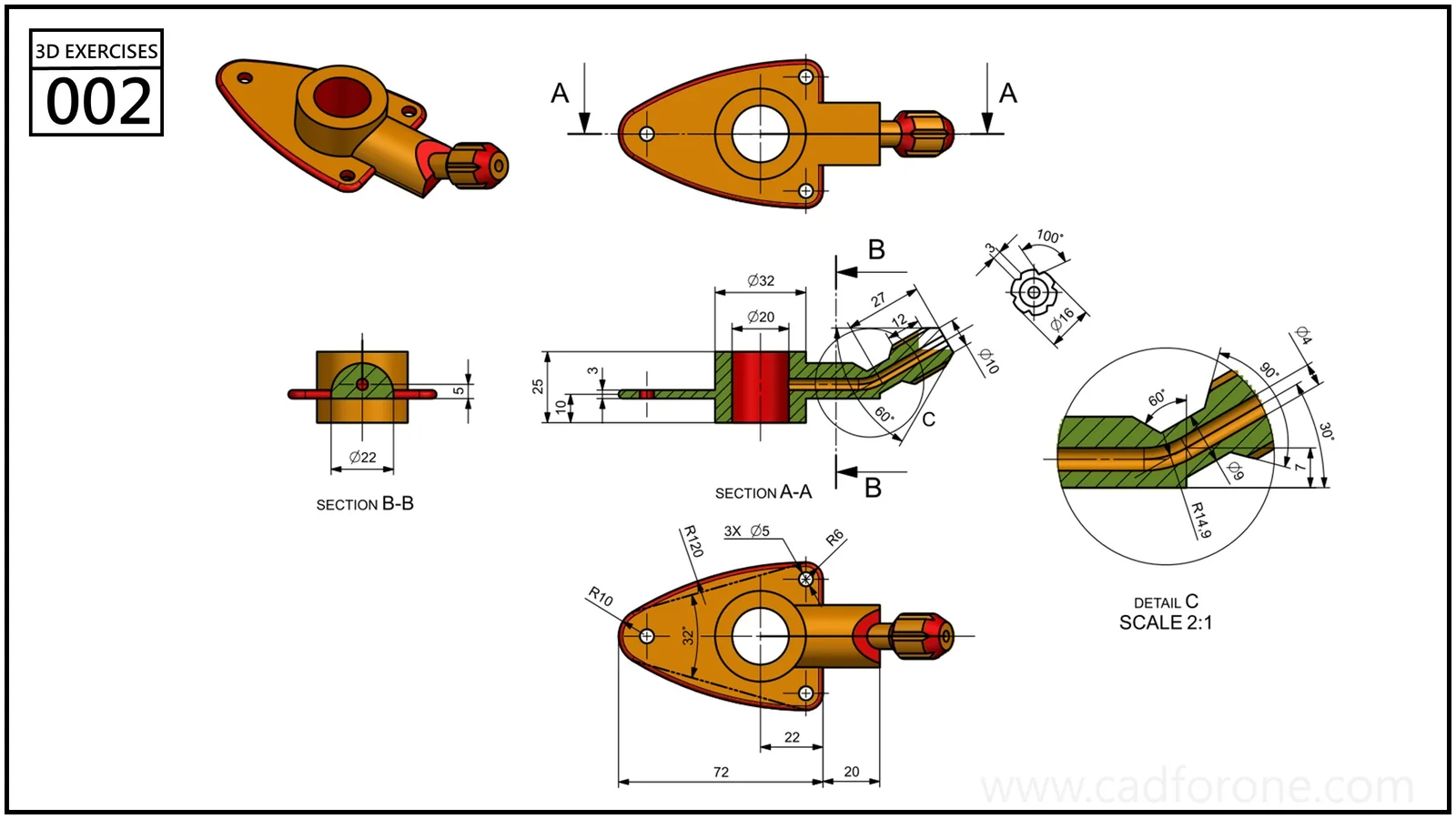
Drawing reading checks
- Use section A-A and detail C to follow the side passage.
- Compare the central bore and mounting holes across the plan and section views.
Check your result
- Check each opening against the drawing: its size, center position, and direction must agree across the available views.
- Inspect the internal space as well as the outside shape. Use any section views to check which walls remain and where the passage opens.
Practice overview
- Drawing units
- mm