SolidCraft 0.40.0 RC2: Where to Download It and What’s New
Looking for the SolidCraft 0.40.0 RC2 installer? Start with the official v0.40.0-rc.2 release page, then expand Assets below the release notes.
The exact tag matters. A general download button can take you to a different build; the version-specific page makes it clear which release you are getting.
Download SolidCraft 0.40.0 RC2
Here are direct links to the versioned files in the official release assets:
| Platform | Download |
|---|---|
| Windows x64 installer | EXE installer |
| Windows x64 portable | Portable ZIP |
| Windows ARM64 | MSI installer |
| macOS | Universal DMG |
| Linux x86_64 | AppImage · DEB |
| Linux ARM64 | AppImage |
The asset list also includes RPM, Flatpak, Snap, Arch, FreeBSD, and self-hosted web packages. Choose your processor architecture carefully: x64/x86_64 and ARM64/aarch64 are different builds. The self-hosted web ZIP is a website bundle, not a desktop installer.
For verification, download SHA256SUMS.txt alongside your package.
Why doesn’t the update checker show RC2?
RC2 is a prerelease distributed separately from the stable update channel. Its release notes say the in-app updater does not offer it. Use the tagged GitHub page above. Source: RC2 release notes.
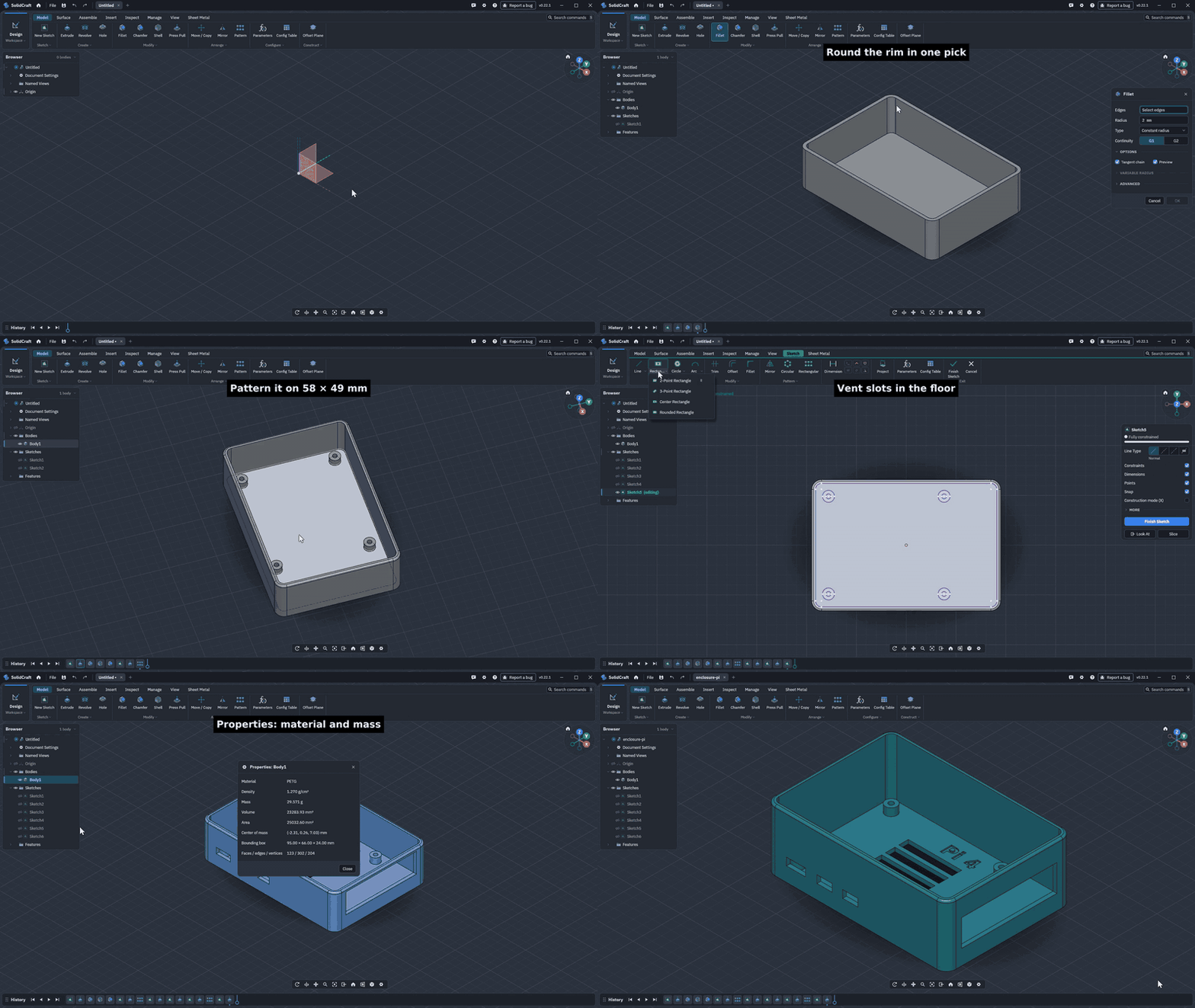
Official project demonstration, credited to SolidCraft contributors. This illustrates the modeling workflow; it is not an RC2-specific screenshot. Image source and demo details.
SolidCraft combines sketches, constraints, solid features, and an editable timeline. Its official enclosure demo shows why that matters: changing a named dimension rebuilds the design rather than requiring every feature to be edited separately. Source: project README.
What changes in RC2?
Compared with RC1, long operations no longer block other designs. Automatic threading prioritizes nominal hole diameter, so a 12 mm hole selects M12; creating that thread narrows the bore. Align gains persistent frame references, letting bodies follow changed targets.
Dimension entry replaces the proposed value correctly. Curved-face meshing improves, preferences pages receive new layouts, and scripting/MCP gains panel and layout controls. Source: RC2 changes.
For testing, try those changes as small, separate tasks: enter a sketch dimension, align a body to a sketch reference, and create a threaded hole. Small examples make unexpected behavior easier to identify and report.
The bigger change: SolidCore
The 0.40 prereleases use SolidCore as their only geometry kernel. Older designs rebuild through it, potentially changing results. This is not a demonstrated across-the-board speed upgrade: fillets may be slower, and some fillet, shell, and thicken cases still fail. Source: kernel and known-problem notes.
Back up designs before saving
RC2 writes format 50. RC1 and stable 0.30.1 cannot open files saved by RC2. Keep untouched originals and test copies. Windows packages use an untrusted test certificate; macOS is signed and notarized. Source: compatibility and downloads.
If you want to explore the new kernel and check how your models rebuild, RC2 gives you a concrete version to test. For work that must remain editable in an older installation, keep that original workflow and its files available.
Open the official SolidCraft 0.40.0 RC2 download page and choose the package under Assets. When reporting a problem, include the exact version and, where possible, a small design that reproduces it.
About CAD for One · Sources, editorial approach & corrections